
Favorites Feature: Save and Organize Your Most Meaningful Passages
The Favorites feature in the ACIM Web Edition allows you to save passages and section titles that resonate with you. Build your personal collection of meaningful quotes, add notes to remember why they're important, and easily return to them anytime.
How It Works
Once signed in, you can save any text selection or section title as a favorite. Your favorites are stored in your account and accessible from any device. You can:
- Save individual sentences or multiple paragraphs
- Save section titles for quick reference
- Add personal notes or names to each favorite
- Search and filter your collection
- Sort your favorites by most recently saved, book order, or most frequently opened
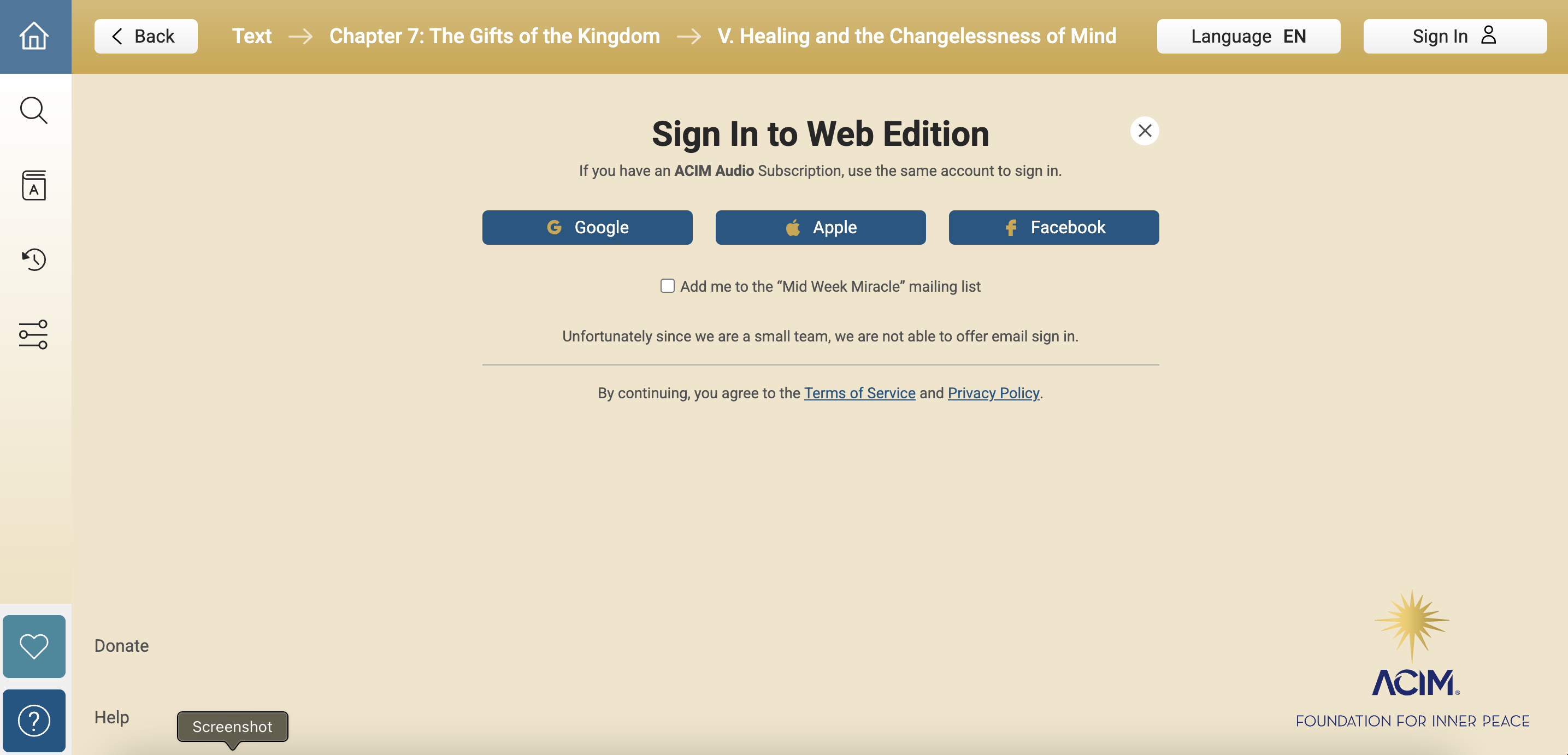
Sign In to Your Account
To use Favorites, you'll need to sign in to your ACIM Web Edition account. Creating an account is free and easy using Google, Apple, or Facebook.
Saving a Favorite
On Desktop
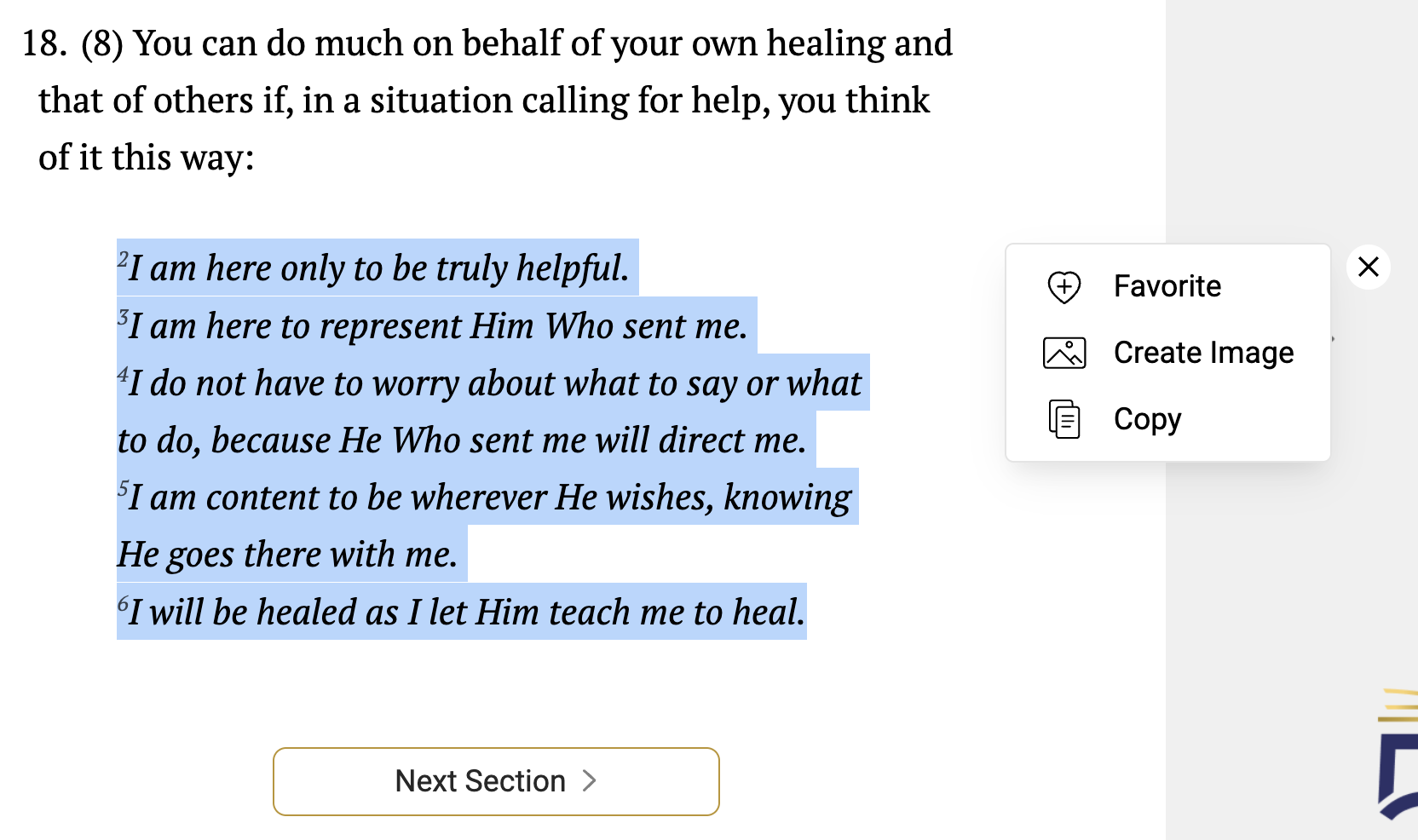
- Select the text you want to save by clicking and dragging
- A menu will appear near your selection
- Click the "Favorite" option with the heart icon to save as a favorite
- Add an optional note or name to remember why this passage is meaningful
- Click "Save" to add it to your collection
On Mobile
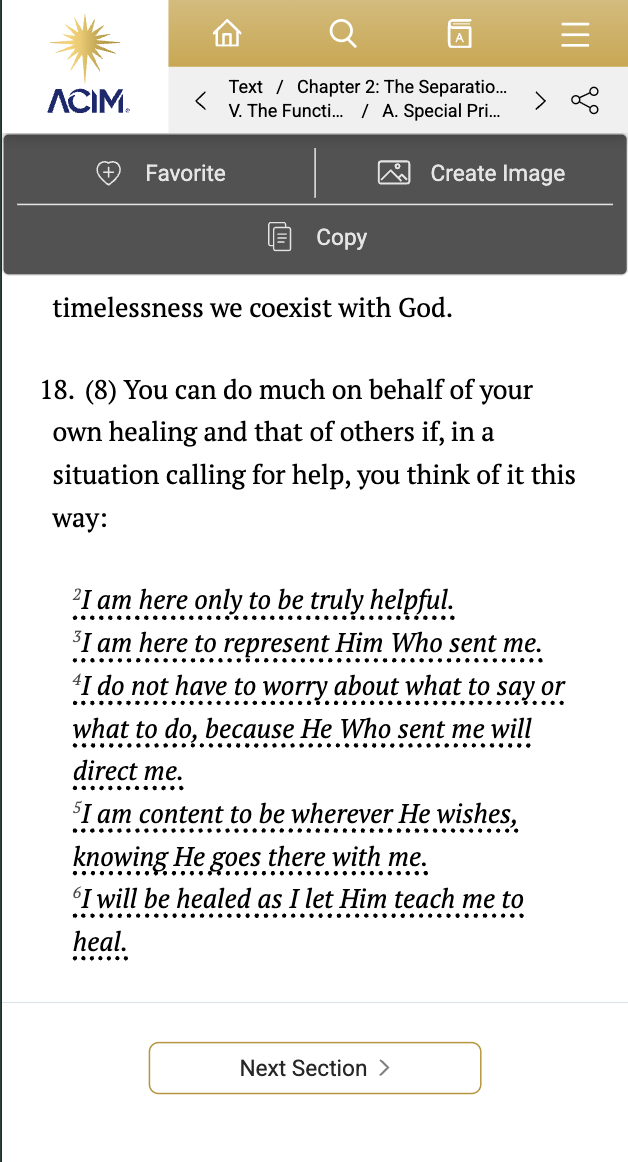
- Tap on a sentence to select it (it will become underlined)
- Tap additional sentences to include them in your selection
- A menu will appear at the top of the screen
- Tap the "Favorite" option with the heart icon to save as a favorite
- Add an optional note or name to remember why this passage is meaningful
- Tap "Save" to add it to your collection
Saving Section Titles
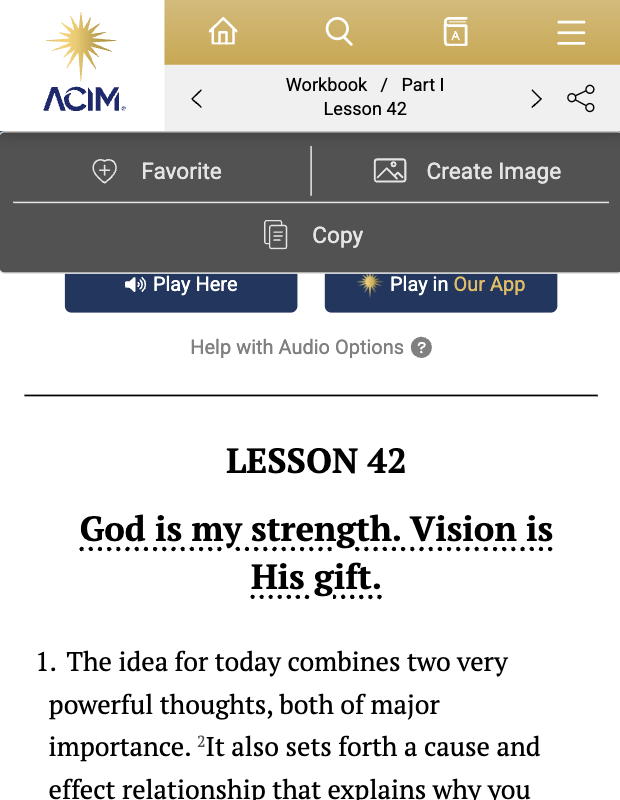
You can also save just the section title without selecting specific sentences:
- Tap or select the section title (e.g., "Lesson 42, God is my strength...")
- The title will become underlined
- Tap the "Favorite" option with the heart icon to save as a favorite
This is useful for bookmarking whole sections you want to revisit or study further
Viewing Your Favorites
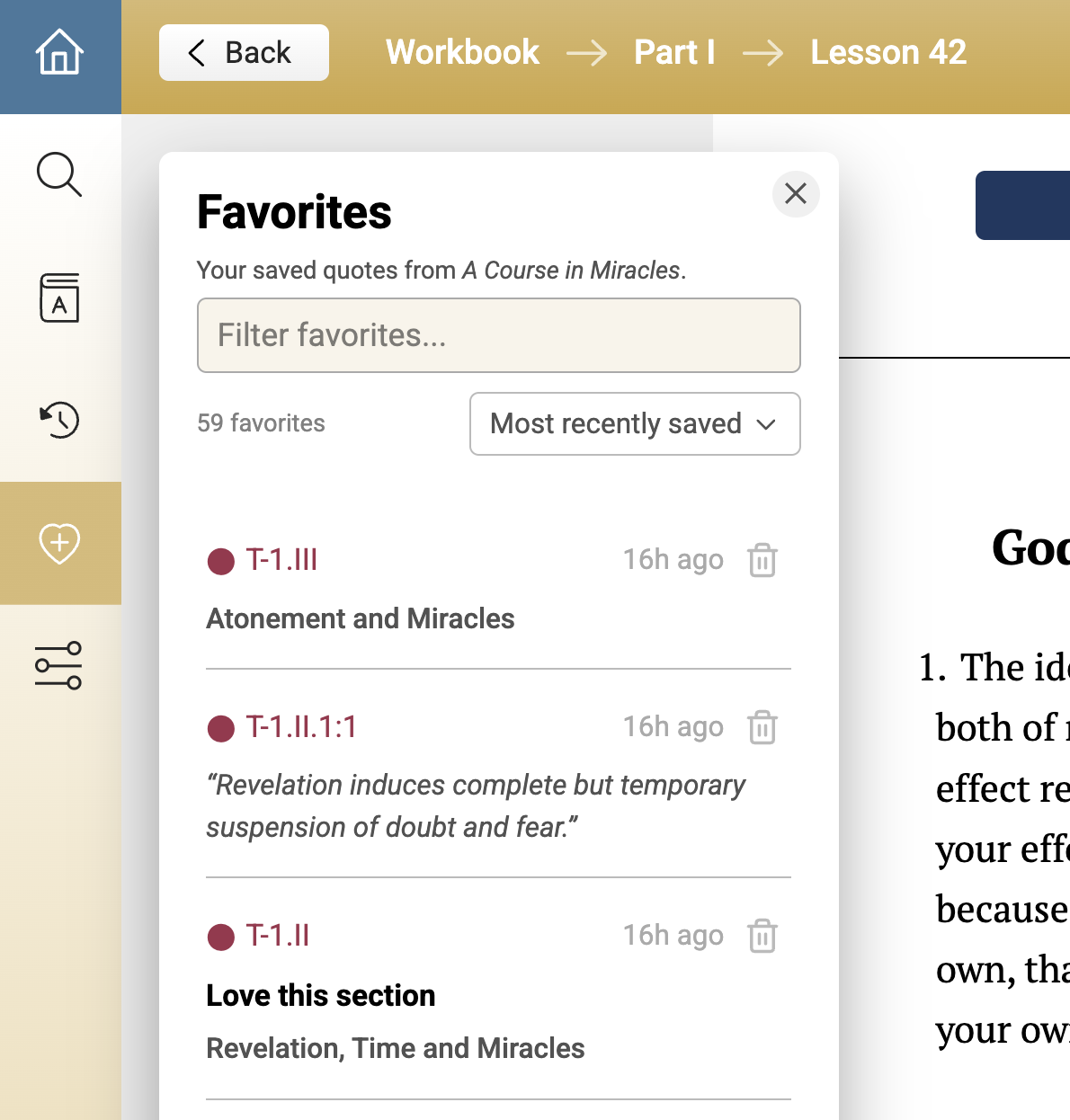
Click the heart with a plus icon in the left sidebar (or burger menu on mobile) to open your Favorites widget.
Your favorites are displayed with:
- The reference annotation (e.g., T-1.I.1:1-3)
- Your personal note (if added)
- The quote text or section title
- The time it was saved
Filtering and Sorting
Search Your Favorites
Use the search box at the top of the Favorites widget to find specific favorites. You can search by:
- Note text
- Quote text
- Section title
- Reference annotation
Sort Options
Click the sort dropdown to organize your favorites by:
- Most recently saved – Newest favorites first (default)
- By book order – Following the order in ACIM
- Most frequently opened – Favorites you return to most often
Deleting a Favorite
To remove a favorite from your collection:
- Find the favorite in your list
- Click the trash icon on the right side
- Confirm the deletion when prompted
Tips for Using Favorites
- Add meaningful notes or name – A few words about why a passage matters to you makes it easier to find later
- Use titles for study sections – Save section titles when you want to mark an entire section for deeper study
- Search by theme – If you consistently add notes with themes like "forgiveness" or "peace," you can easily filter by those terms
Need help? Contact us at support@acim.org